Betchablog education + technology + ideas

29Jul/108

Redesigning Learning Tasks: Part 1

In these next few posts, I'm going to try and describe some of the projects we've been doing at school lately.  My role at PLC Sydney is ICT Integrator, and I very much see it as a role where I support, advise and consult with our classroom teachers about ways to enrich their lessons with technology. It's a hard line to walk sometimes, since it often forces me to cross that line between giving advice on how to use the technology and giving advice on how to teach. The nature of digital technology makes it a really good fit with the general principles of quality teaching practice... and sometimes that fit is so good that I find it difficult to suggest ways to use technology without also suggesting that the underlying pedagogy should shift to match it.  Fortunately, I work in a school where most of our teaching staff are willing to take such suggestions on board, be it simply just regarding the use of technology, or to actually shift they way they approach the job of teaching.

Our Year 9 Geography class work on a project each year about natural hazards (bushfires, floods, earthquakes, etc). Over the last few years the students have been given a task that requires them to do "research" on one of these phenomena and "create a PowerPoint" about it.  I tend to put those terms into quote marks because I find that "research tasks" presented "in Powerpoint" are usually just a formal excuse to get kids to plagiarise (especially when they just hand the PowerPoint file in... they don't actually present it to the class). When I looked at the task as it stood I was struck by the fact that most of the questions being asked could easily be answered by simply going to Wikipedia and doing a cut and paste.

I tend to use Blooms Taxonomy as a means of getting a quick overview of the quality of the tasks we ask our students to do.  It's not a perfect tool, but it's nice and easy to apply and it gives a pretty good insight into the degree of higher level thinking that might be involved in a given task.  When I looked at the existing task I got the impression that it was made up of fairly low level recall skills.

As an ICT Integrator, one of the questions I always try to start with is "What can we get the students to actually MAKE?" If  the word "create" is at the top of the Blooms pyramid, then I reckon that starting with that question is a good way to begin pushing upwards into higher levels of thinking, since making things, by definition, is creating.  The term "doing research", unless it is followed up with actually making something based on that research, rarely takes students much beyond simple cut and paste thinking.  To be fair, the other part of the task did involve creating in the sense that the students were "making a PowerPoint", but it was really just a PowerPoint summary the "research".  Is it any wonder our students tend to plagiarise when we give them tasks like this?

So when I got a request, as the ICT Integrator, to simply visit these classes to remind the kids "how to make a PowerPoint" I felt a little underwhelmed, and I tactfully tried to suggest that perhaps we needed to rethink what we were asking the kids to do, and to come up with something a little more challenging. That's what I mean when I say I often have to cross the line between just offering ICT support to teachers versus helping them rethink their actual pedagogy.

Anyway, we did end up redesigning the task, and I think that in the end everyone agreed it was a better, more interesting task that made good use of ICT while also covering all the necessary learning outcomes.  The students were put into groups of three and their task was to produce a 3-5 minute audio news report about a natural hazard of their choice. (It wasn't technically a podcast, since we didn't wrap it in an RSS subscription enclosure, but the recording part was the same general idea as a podcast.)

I suggested that the three students should take on three different roles, each focusing on a different aspect of the natural disaster.  The first role was the newsreader, and her job was to announce and describe the key facts about the disaster - what it was, where it happened, and some information about the causes for it... the newsreader essentially set the scene and gave the background about this particular disaster.  The second role was that of on-the-scene reporter, and this person was responsible for giving the detailed information about the disaster - who was involved, describing what the scene looked like, how it was being handled by emergency crews and so on.  The reporter then conducted an interview with the student playing the third role, that of a victim.  The victim's job was to talk about the human impact of the disaster, and how people were affected. They were to give an insight into the human cost of natural disasters.  Together, these three roles would cover all the important aspects of natural disasters.  I think it's important to recognise that all of these aspects are outlined in the syllabus for this unit, and so doing it this way was not just a novelty but a way for students actually engage in the prescribed content in a more interesting, more engaging way.

Of course, in order to play these roles the students needed to write a script.  For this, we used GoogleDocs and I taught the students how to write collaboratively using the shared writing tools in GoogleDocs.  I should point out that our Year 9 and 10 students are now 1:1 and every student has their own laptop.  This is a fairly new thing for our school as the 1:1 program just started this year, so I wanted to ensure we build authentic technology skills into these tasks.  Most of the students had never used GoogleDocs before and had never seen the collaborative, shared writing function. I spent a lesson with each class teaching them how to share a document and work on it together, something that they picked up very quickly. That's the thing about our alleged "Digital Natives"... they actually don't know a lot of this stuff, but once shown, they tend to pick it up pretty quickly.  Once they got the hang of how it worked, they used GoogleDocs as a shared writing space to work on a script together.  It worked really well and the students worked in groups of three, all collaborating on the same document, adding, editing and creating together.  I think they found it a very valuable tool.

I also spent some time teaching the students the basics of recording sound using Audacity. Once they were shown the core skills of recording a track, then overlaying it with other tracks, music and sound effects, they were ready to get on with producing their radio news reports.  Again, it was a skill that most of them had never seen or used before, but after a half hour of training they were all quite proficient at it.

Of course, behind all of this the students DID have to do considerable research.  They needed to find out how bushfires spread, what causes cyclones, where droughts are most likely and so on.  It's not that they don't need to do research - they certainly do. It's just that once they did the research the task required them to actually use that information to produce something else.  The focus was not on the research, but what could be done with the research. Importantly, they were given some room to be creative, admittedly within a reasonably scaffolded framework, but there was still room to be creative... it wasn't all about just regurgitating the facts they had researched.  They needed to take those facts and understand, manipulate and create with them. They were given an opportunity to engage with a range of new technology tools they'd never used before, and ones that will hopefully be of use to them in the future. They were being asked to use the media production capabilities of their shiny new laptops to collaborate and make something original, and not just use it as a glorified typewriter.

As we designed the task, I also made sure it offered the teachers a chance to learn new skills as well. We are really pushing the use of Moodle at the moment, and although most of our teachers are very good at posting resources like Word and PDF documents, the activities part of Moodle is still quite underused. I insisted that the final products of the students - namely a text document with the script and an MP3 file with the finished recording - be submitted as an Assignment in Moodle.  There was initially some resistance to this idea, but it forced the teachers to engage with the assignment submission workflow that Moodle offers and exposed them to a number of Moodle features they were not aware of, like the gradebook and the ability to manage student results electronically.

Overall, I have to say the task was a great success.  The students seemed to really enjoy the opportunity to work in groups, to make good use of their laptops, to be able to inject a bit of their own personality into the final product.  They told me that they liked the opportunity to be a bit more creative and not just hand in yet another boring PowerPoint file or essay.  The teachers told me they were impressed with just how engaged the kids were during the task, and that the quality of the finished products was generally quite high.

I'll put some more posts up in the next few days about some other projects we are working on at school, but at the heart of them I hope there is a common theme.  That is, I hope we are getting better at rethinking what we ask our students to produce so they can show us not only what they know, but what they can do with what they know.  I'd like to think that we're working harder to build creativity, choice, authenticity, collaboration and engagement into what we ask of them.  I'm pleased to see their laptops being used in ways that leverage the things that digital technology can do, and not to just treat them as a fancy way to take class notes.

Can this task be improved in the future?  Sure, but it was a nice step up from the previous task. I'd like to think that the ICT in this case was there as the appropriate tool for supporting a richer learning task, and not just there for the sake of using computers.

Below is a playable sample from one of the groups.  I don't know if it was the best one, since I haven't actually had a chance to listen to them all, but I picked it more or less and random and thought it was pretty good.  I liked the way they used sound effects and mashups recorded from the TV - it shows that they made a special effort.  And I like the creative (and slightly humorous) way they introduce the story at the start of their bulletin.

Popularity: 9% [?]

Play
24Jun/084

Year 3's First Voicethreads

One of the real joys of my current job is that  I get to work with our younger students in the primary school.  Having only ever taught high school, the chance to work with the R-6 kids is just so refreshing.  They are so enthusiastic, so keen and so refreshingly honest.  I've had a great time this term working with all the Junior School kids, but in particular I enjoyed working with Year 3 on some digital storytelling projects, where I suggested to the Year 3 teachers that they try Voicethread as our storytelling tool of choice.  One quick demo and they were all excited by the possibilities.  (And so was I for that matter... although I've used Voicethread a lot for my own personal use, this was the first time I've had the chance to work with students to do something with it)

The kids were especially excited by the idea of getting some real feedback from real people in other parts of the world.  If you get a chance, please pop in and leave them a message. You will need to sign in with a Voicethread account in order to leave a message but I'm sure many readers of this blog will already have one, and if you don't you should!  If you could get your own students to leave them some feedback too, that would be awesome!

You can find the kids' work at http://ed.voicethread.com/#u110482

Note that comment moderation is enabled, so your comments may not show up right away, but please leave them anyway.  At the time of writing, they are still finishing them off so there are still a couple more to come yet, but your comments would still be very welcome, and a great motivator I'm sure!

Our school signed up for ed.voicethread, the new education service provided by VT, which is good although I have to say I've found it a little confusing to manage.  However, we seem to have gotten the kids' work online without too much trouble and the students have really enjoyed the task.  Voicethread is an amazing tool, so simple to use, yet so powerful in what can be done with it.  As an entry point into digital storytelling and podcasting (which is sort of what it is) it is a really excellent tool.

We were particularly focused on ensuring that all our images came from non-copyrighted sources, and the kids got really good at searching through Creative Commons photos using either FlickrCC, Flickr Storm or CC Search.  It was great to see these 7 and 8 year olds showing respect for intellectual property online and only using CC licensed photos.

In hindsight, I think I'd scaffold the work a little more next time, as the task was fairly sophisticated for Year 3 students.  Although I prelinked the various National Park websites and linked to Google Maps' satellite images of the parks on our Year 3 Moodle page so they could just go directly to some of the more relevant sources, most of the websites were written in fairly adult language.  Despite that, I think they still did a good job of answering the following questions in their Voicethread...

  • What type of park is it?
  • What is it protecting?
  • Description including location... Where it is?
  • About the Park? Things to do and special features?
  • Interesting facts about your National Park… History? Aboriginal perspective? Tourism?
  • Why do you think this area should be a National Park?
  • Come up with some specific rules for conservation in your National park.

All in all I think they did a great job, and I'm very proud of them!  You go girls!

Popularity: 2% [?]

17Apr/086

The Power of Podcasts

I never realised I was such an auditory learner until I became a podcast junkie. Now I listen to oodles of podcasts on all sorts of topics. My drive to work is a little longer at the new school this year and I'm rather pleased about that since I get to listen to more podcasts!

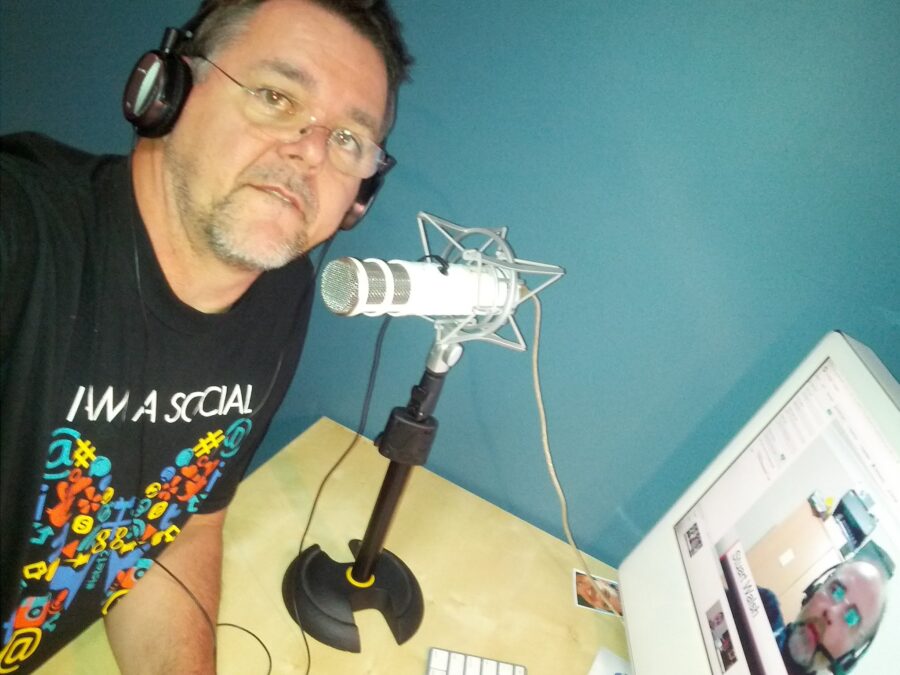
Ever since starting my own podcast, The Virtual Staffroom, over a year ago I've enjoyed the opportunity to chat with other educators about school, learning and whatever else came up. Initially, the motivation for making the podcast was just to figure out how it was done, and I've been lucky to have had so many wonderful teachers offering to join me online for a Skype chat, which then ends up as a podcast.

This week, in somewhat of a role reversal for me, I was invited to be on the interviewee's side of the mic for a change. I had the great pleasure of being a guest on the Ed Tech Crew Podcast this week, where Darrell and Tony had a chat to me about a bunch of things, but mainly interactive whiteboards. They heard I'd been writing a book on the topic and wanted to have a chat about it. These guys asked some really good questions about IWBs, and I enjoyed the opportunity to have a chat about how I see IWB's impacting upon education. You can check the podcast episode out here if you'd like.  I've also been a guest on Jeff Utecht's Shanghai -based On Deck podcast a few times, where he and Dave chat about educational technology issues as well, specifically centering it around the South East Asian area. And a few minutes ago I just had a Skype chat with Sharon Peters in Montreal who asked if I'd like to join her and the rest of the Women of Web 2 for a podcast in June.  We have quite a podcasting ecosystem going on here...

Podcasting is such an amazing medium. I actually live around the corner from the studios of a community radio station and I often wonder about their audience size, and how much expense and infrastructure must be required to broadcast to this audience. I'm sure the audience is relatively small and the overhead required to broadcast to them quite considerable. And yet, here in the podosphere, anyone can potentially broadcast to a much bigger global audience at virtually no cost. All it takes to be a podcaster is a basic computer, some audio recording software, an internet connection, and you can have essentially the same opportunity to broadcast your ideas to the world as any other fully licensed, commercial broadcasting entity.

Forget about technology side of podcasting for a moment and think about what effect it is having on the economics of commercial broadcasting. Sure, it's not about to put the big name radio stations out of business just yet, but it has the potential to be a truly powerful alternative... this truly is The Long Tail in action, and you really have to wonder how the future of media will look as anyone who wants to have a voice can have one... easily, cheaply and effectively.

Popularity: 1% [?]

2Mar/080

On the Power of Networks

I was doing some stuff on Voicethread this morning and spotted a Twitter from Alec Couros directing me to a very powerful use of Voicethread. Alec is a professor at the University of Saskatoon in Regina, Canada, and posed the question "What does your Network mean to you?" as a Voicethread and got a large number of responses from a wide range of educators. It's very interesting to scan through the responses and see what a wide range of ideas can be held within a single Voicethread.

Take a look for yourself...

Please enable Javascript and Flash to view this Flash video.

Popularity: 1% [?]

26Nov/074

My Grandmother's Country

Just wanted to share this Voicethread that some of my students did (there are still more kids to add their voices yet). In my Year 7 art class we were looking at the work of contemporary Australian aboriginal artist Sally Morgan, and the students had to examine a painting called My Grandmother's Country. We had quite a long discussion about it in class and looked at some of the symbolism used in the painting. The students then had to write a response to the work.

In the past, this task is usually done purely as a text-only task... it gets discussed in class and they then do the writing at home. I thought I'd try using Voicethread instead, because it allowed them to access the artwork from home, to zoom in to see detail, and to hear me re-explain what they needed to do with it. (I know, I know, YOUR students never forget anything you tell them in class, but mine sometimes do).

They were a bit shy about leaving voice comments at first, so instead they wrote a written response as usual, but many said it was really useful being able to hear the task explained again from home. After they submitted the written task, which I thought they mostly did pretty well, I got them to record some of their responses as audio files which we uploaded to Voicethread along with their photo. This ability to upload audio to Voicethread instead of having to record it directly onto the page is a feature of a Voicethread Pro account, which is available to educators at no cost. I found it made it so much easier to collect the audio comments, especially since this class is not in a room with computers. I use my MacBook Pro to record their audio to QuickTime, convert it to MP3 using QuickTime Pro, snap a photo using Photobooth and then I do the uploading after class or whenever it's convenient.

Anyway, for what it's worth, here are some of their observations so far... if you want to leave an encouraging (moderated) comment for them that would be wonderful...

Please enable Javascript and Flash to view this Flash video.

It will be interesting to see if the quality of their speaking and recording changes once they realise that they have an audience...

PS: Thanks to @nzchrissy via @alannahk for pointing me to the solution to embedding these Voicethreads into the blog like this. Nice!

Popularity: 3% [?]

3Nov/075

Learning. Your time starts… now!

I was invited by Sheryl Nussbaum-Beach to contribute some thoughts to a session at the Texas Tech Forum today in Austin TX. It was very nice to be asked, especially when I found that I was in the company of such respected educators as Terry Freedman and Emily Kornblut. The topic for conversation was Virtual Communities for Professional Development and Growth, where all three of us had been invited to share a few minutes talking about how we use virtual networks to support our own learning.

Unfortunately, my audio stream was largely unusable and we had to abandon it before I really got started. Seems that the trans-Pacific bandwidth gods were not smiling this morning (or was it David Jakes using all the bandwidth in the next room playing with Google Earth? Hmm, we'll never know)

Nevertheless, here's the brief outline of what I would have said, or something very much like it...

If you accept that Learning is a Conversation, and that some of the most powerful learning can take place in the process of conversing and exchanging ideas with others, then setting up ways to have as many of these conversations as possible seems like an obvious thing to do.

How many would agree that some of the most powerful "take aways" from many conference events come from not just what you hear from the stage, but from the informal conversations you have over lunch, in the corridors, etc? There is great power in those conversations. It might be easy to think that the people on the stage at conferences have the knowledge and that if we simply listen to them we will get wisdom, but the truth is that sometimes it just doesn't work like that, and even if it does, most of those ideas gather far more momentum once we start to internalise them through further conversation with others. Ideas beget ideas, one thing leads to another, and you often find some of the best, most useful ideas come to you not from what was said by a speaker, but from things that came to to you as a result of further conversation about what was said.  (by the way, the same logic applies in classrooms too!)

So if we accept that conversations are powerful learning tools, then how can we encourage more of these conversations?

If we limit our notion of learning to the "official" channel - the teacher, the textbook, the syllabus - we miss so much. Yes, learning happens at school, but what about outside school? Yes, learning happens in the classroom, but what about outside the classroom? Yes, learning happens in the act of "being taught", but what about when we are not "being taught"?

Our schools system implies that when we ring the bell to signal the start of a class, we are really saying that the learning starts... wait for it... now!  And at the end of the lesson we ring it again to say the learning now stops. Ok, school's over, you can all stop learning now. Until tomorrow.

Is creativity important in education? If you're not sure, I suggest you watch the video by Sir Ken Robinson, or read the report "Are they really ready for work?" Yes, I think creativity is important. So, if we acknowledge that creativity in education is important, then how can we teach kids to be creative if we continue to focus on just regurgitating standard answers to standard questions, year after year. Because if it's only about learning pre-defined content then you don't need creativity, and you don't need conversation. Learning in messy and there is no point extending our thinking into new and creative areas if we aren't committed to that notion, because that just muddies up all those nice clean facts we have to remember.

Papert said that the one really valuable skill for a 21st century learner is that of being able to "learn to learn"... To be able not just to know the answers to what you were taught in school, but to know how to find the answers to those things you were not taught in school.

So how do virtual communities fit into this? They are an obvious and convenient way of extending conversations with other likeminded people, no matter where (or when) in the world they might be. Once you establish the right communities - ones that work well for you - you have an amazing brains-trust to tap into, to bounce ideas off, to share with, to give to, to take from, to argue with, to feel validated by, to learn from, to teach to... once established, you have a powerful 24/7/365 mechanism for generating creative thoughts.

Getting to the point, the tools I personally use to generate my own personal learning networks - my own virtual communities - consist of...

  • Email lists - yep, you heard me... good old fashioned, asyncronous email lists. They still have a useful place and for many people are a great introduction to online communities.
  • Web Forums - same thought as email lists. In fact forums are really just email lists without the email. Great for specific topics and threaded discussions that gets archived.
  • Blogs - wonderful public and private thinking space. You really have to formulate your ideas in clearer ways in order to write them down, so blogs are great for really figuring out your stance on things. And the fact that blogs become so interlinked, with commenting and cross-reading between other blogs. They are like "idea pollination", only without the allergic reaction.
  • Wikis - great for collaboration, which is another way of saying conversation really. Great for group projects, great for post conference wrapups (extending the conversation). Just great.
  • Podcasts - some of my most powerful learning takes place through listening to podcasts. And when I decided to start my own podcast and began to have real conversations with people... wow, that certainly turbocharges the learning experience.
  • Twitter - so much has been written about Twitter recently. It's live, it's immediate, it's awesome, but you won't get it until you try it.
  • Skype - My favourite tool for conversation. It encourages quality conversation like no other.
  • Ning - Sometimes the fact that there are so many Ning communities makes it hard to focus my attention in the one place, but certainly a great tool for building communities around a central theme.

So there you have it. Some of my favourite virtual community tools and some of the rationale behind why I use them. At the end of it all, I think belonging to the right combination of communities has the potential to improve what you do... not by a small amount, but by an exponential factor. Tapping into communities increases the quality of your thinking - not by 5-10%, but rather by doubling or tripling your creative flow and understanding.

If you doubt it, just try it and see. Then leave a comment and we can have a conversation about it ;-)

Tags: , ,

Popularity: 3% [?]

16Sep/072

Learning is a Conversation

I have the pleasure tomorrow morning of joining Sheryl Nussbaum-Beach at the Learning 2.0 Conference in Shanghai China. Sheryl is running a session called You are the Time Magazine Person of the Year and will be looking at how educators are using Web 2.0 tools to stay connected and learning. To assist her, she asked Allanah King, Barbara Dieu, David Jakes, Clarence Fisher and myself to each contribute a 5 minute spot to talk about how being connected and networked to other people has affected how we do our work. It was a nice surprise to be asked to contribute, especially in such impressive company!

In thinking about this, I started jotting down some ideas. As many of you know, I can't just jot... it inevitably grows to a full essay! So for what it's worth, here is a copy of the notes I wrote for myself. (Thanks to David Warlick for his "learning is a conversation" line... I suppose if I read something he wrote and learn from it and use it, that's an example of making learning a conversation?)

---

The Web in general, and Web 2.0 in particular, has made it easier than ever to connect with other people. If you have a question, someone somewhere will have an answer. If you have a problem, someone somewhere will have a solution. If you have an interest, someone somewhere will partner with you to share that interest. Thanks to the Web, most of the friction that previously prevented these connections from being made has been all but eliminated. If you just take the time to look, you will almost certainly find your answers, solutions and partners.

So, as educators, why should we be so excited about these connections? Why is connecting with each other such a big deal? The reason it's such a big deal is that these connections with other people are what enables us to grow, and in turn enables us to help our students grow. I'm not sure who originally said it, but I once read, "You will be the same person in 5 years that you are today except for 2 things: the people you meet and the books you read."

Of course, these days you may not actually ever meet "the people you meet", and blogs can be just as effective as books. The same principle applies though... Learning is a conversation. We grow when we are exposed to new ideas, when we are challenged to think beyond our current thinking. And with the world changing as fast as it is in the 21st century, we really need to start moving beyond our current thinking just to survive, let alone thrive.

I started blogging a few years ago when I blogged my experiences during a teacher exchange to Canada in 2006, over at canada2006.blogspot.com. This blog was originally meant to serve merely as a travel diary, but it opened my eyes to blogging as a rather mind-expanding personal activity. I noticed that my ability to write improved exponentially. I started to really consider what I would say and how I would say it, and was rather surprised when the blog started to build a regular audience (and not just my family!) Writing for an global audience certainly changes the way you express yourself, and this audience would regularly communicate with me about what I was writing. As I learned about the writing process, I started to understand that Learning is a conversation.

Because I enjoyed the experience of blogging so much, I started to write a regular blog at betch.edublogs.org where the main topic was education and how it was affected by technology. Although I started writing mainly for myself, I have been amazed at how this blog has not only gathered an audience, but has in turn forced me to engage with so many other blogs. This massive exposure to new ideas and leading thinking from so many other people drastically altered my outlook on what happened in my classroom. I cannot recommend the act of blogging highly enough. Try it. It will change you for the better. It was by engaging with the words and ideas of others that I started to more fully grasp that Learning is a conversation.

The next thing I tried was to get my students blogging. The results of this exercise can be found at crowdedwisdom.learnerblogs.org, where every student set up an edublogs account and we all crosslinked our blogs together into a sort of class ecosystem. This enabled me to use the blog environment to connect and share with my students in a way that they totally related to, while encouraging them to comment and connect with each other about their work. As I watched them work and interact through their blogs, it became further obvious that Learning is a conversation.

Since the blogging thing was so much fun, I thought I'd try podcasting. In October 2006 I started a regular podcast called The Virtual Staffroom which is all about having conversations with leading teachers about the use of technology in their classrooms. These conversations are recorded using Skype, turned into a podcast feed and shared with the world. I have learned an enormous amount from talking to these amazing teachers as they share some of their incredible ideas for working with students, further reinforcing the notion that Learning is a conversation.

Having gained a basic understanding of podcasting, I wanted my students to try it. So as part of an Introduction to Business class, I had my class create their own audio version of the course, using the textbook as a basis for content, but encouraging them to go beyond the classroom's four walls and use audio recordings of local business people, bankers, entrepreneurs, and so on, to include in their podcasts. They got creative about gathering resources, about writing and expressing their ideas, about managing their time and resources. They produced some amazing work, and became totally engaged in the process of podcasting, interpreting the course content in a way that was not happening with a more traditional approach. Their learning took place in the collaborating, the sharing, the debating, the problem solving, and the results were impressive. Just like the sharing process, Learning is a conversation.

Way back in 1998, I worked with a group of students on the AT&T Virtual Classroom Contest, where we partnered with teams in the USA and Japan to build a collaborative website. This was all pre-Web2.0, so there were many technical issues to contend with, but the real learning took place as we exchanged hundreds and hundreds of email messages. We learnt to cooperate, to solve problems, to respect each others opinions. We learnt to share, to collaborate, to think creatively. We repeated the whole thing again in 1999, and were rewarded with first prize and a trip to Hong Kong. It was here we met our virtual partners in the flesh for the first time, although we felt like we already knew each other very well. Whether chatting virtually or in person, Learning is a conversation.

Along the way, we discovered plenty of tools for connecting. Realtime instant messaging tools like Skype and Messenger are invaluable, and with the ability now to connect with voice and video, the world has become an incredibly flat place. Geography is irrelevant. Looking through my Skype contact list I have friends and colleagues now in Canada, the USA, Japan, Austria, Belgium, New Zealand, and of course all over Australia. I often chat with these people, sharing ideas and stories. I always come away from our chats richer from the experience, finding that Learning is a conversation.

The Web 2.0 revolution has provided us with a huge list of tools for making these connections... Twitter, Talkshoe, Second Life, Elluminate, Jaiku, Ning, Delicious, Flickr, YouTube... the list goes on and on, and grows almost daily. Oh, and perhaps I'm just an old fashioned kind of guy, but I even still use email to communicate! In fact, it may not be very cool and Web2.0, but I'm still an active member of several educational mailing lists and invariably find the spirit of helpfulness and community on those lists to be an irreplaceable part of my professional life. I have made dozens of friends from these lists - some I've met in person but most I've not - but they have all helped shape my thinking to make me the person and the teacher I am today. A teacher who understands that Learning is a conversation.

If I have one piece of advice for anyone engaged in teaching it would be to establish connections. Learn to use these tools of connectivity, and harness them for you own use and for the use of your students. The payoff is enormous. The conversations and connections you will engage in may be the single most important thing you do to become the best teacher you can be.

Learning IS a conversation.

Popularity: 1% [?]

Play
26Aug/073

My Podcasting Workflow

For a while now, ever since I've been producing The Virtual Staffroom podcast, I've been meaning to blog about the workflow I've developed for producing it. After a lot of trial and error, and making plenty of mistakes, I'd started getting a system happening on the best way to put the podcast together.

Then along comes the new GarageBand as part of iLife '08 and all that changed. Normally I don't like it when my systems get disrupted, but in this case I am thrilled about the changes as it reduces the steps needed to make a podcast considerably. Added to that are some configuration changes I made to the way I capture the audio, and I reckon I can now do better quality recordings at much smaller filesizes with far less effort, so it's win-win all round.

For anyone that might be interested, here are the tools and the workflow I plan on using from now on to create podcasts. I've got another podcast interview lined up for tomorrow night so I'm excited about these new workflows.

Firstly, I record my interviews using Skype. I use a decent USB headset microphone, a Logitech 250... I had a 350 but it broke, and the 250 was cheaper with the same audio specs. With Skype I can call to another computer anywhere in the world, but I can also call to a telephone line as well, so either works fine. Skype also let me do multiparty calls, so it can be several people online in the chat at once.

To record the call I use Audio Hijack Pro. I used to use Call Recorder which is one-button easy, but it can be a bit flaky and drop out at times. It's mostly reliable, but for podcast interview mostly reliable is not acceptable of course... I once did an hour long interview with Luc Zwartjes from Belgium only find that Call recorder crapped out and dropped the whole recording. Not happy, and I felt very embarrased to have to let Luc know about it, although he was gracious enough to record it again with me. From then on I have always used both Call Recorder and Audio Hijack together, but have since decided that Audio Hijack is good enough just on it's own.

What I like about Audio Hijack is the way you can capture the audio of the call to AIFF format. I never realised this for a long time and was capturing to MP3 and using Quicktime Pro to convert it to AIFF, but I've since discovered that I can go directly to AIFF which simplifies things a lot. The other advantage is that I can choose the bitrate and mono/stereo setting, which can bring the file size down a lot. I currently record using AIIF format, 16 bit, Auto Sample rate, Mono and it seems to work really well. Recording in mono halves the filesize of stereo.

Once I record, I drag the AIFF file to The Levelator. This simple and easy to use tool runs a very complex analysis of the file and applies compression and normalisation filters to the audio. This fixes any overly quiet or loud bits and makes it sound much better. If I wasn't fussy, I could leave this step out, but I think it's worth doing for the better audio quality.

Once I get the adjusted AIFF file out of Levelator I drag it into a new podcast episode in GarageBand. I really like Garageband as an editor and find it simple to use and easy to shuffle audio tracks around, make edit points, add multitracks, etc. I also add the tops and tails to the interview directly in GarageBand, and well as any music, sound effects, etc.

The big news in GarageBand '08 is that you can now export directly out in MP3 format. This is great... prior to this I had to export out as an M4A file and then use Quicktime Pro again to convert it to an MP3... it was an extra step and made it hard to work in mono. The new export dialog in GarageBand has all the features that a podcaster could want... I set mine to MP3, 64kbps, Medium High VBR and Mono. The sound quality in the tests I've done is really good, and the filesizes are way down on the older episodes.

Finally, I use Podcast Maker to add my metadata, shownotes, XML data and album artwork, and in one click upload it to the Virtual Staffroom server. Podcast Maker generates all the required XML and RSS feeds very nicely. It's a wonderful tool.

So there you have it... it might sound complicated but it's not really, and this new workflow is way more simplified than the previous method I used to use. Apple has really listened to podcasters and added just the right features into the new GarageBand. Combined with the extra tools like Skype, Audio Hijack, Levelator and Podcast Maker, making podcasts has never been easier!

Tags: , ,

Popularity: 1% [?]

17Jun/070

Been Playing

James Farmer has been up to his upgrading tricks again, and Edublogs has been offline for a few hours today.  I don't mind, I just appreciate the facts that he takes the trouble to keep the Edublogs service at the cutting edge of WordPress technology.  Anyway, it gave me a chance to do a bit of playing on my other blogs, tweaking a few things here and there.

I also managed to get a new episode of the Virtual Staffroom podcast online.  It's been a long time between episodes, due mainly to a series of personal dramas but also because it took me a while to get broadband on again where I'm living now.  Anyway, the point is that a new episode is up -  "Open Minded"  - and another episode is in the works, Taking it Further".  Check them out, they are pretty good actually!  :-)

I've also been having a good play with the Sidebar Widgets in WordPress.  Very cool.  I'd been wondering how to add extra services to the sidebars like Clustr maps and other things where you are supposed to just cut and paste some html code to make it work.  That's all fine, and was easy under the Old Blogger, but WordPress doesn't easily let you get to the template code to make these changes.  I finally figured out that you have to add a new text widget to the sidebar tools and paste the code into that.  Obvious really I guess.  I'm really impressed at what a cool, flexible tool WordPress is.  The New Blogger too for that matter.  It's just so easy to publish to the web these days!

I've also been swapping some great podcast suggestions with My Linda too... we have discovered a whole bunch of interesting 'casts to listen too.  In fact I spend way more time these days listening to podcasts than live radio or TV, and I love the fact that we are so on each others wavelengths in terms of what interests us.  It's a good sign I think.

technorati tags:, , ,

Popularity: 1% [?]

12May/071

Questions are the Answers

jamie1.jpg jamie2.jpg  podcast1.jpg helen1.jpg

If you've been involved in education circles for any length of time, you would no doubt be aware of the work of Jamie Mackenzie.  Jamie is probably best known as the creator of the Webquest concept, but also does a lot of great work with higher order thinking, and the use of deep questions to deal with complexity and encourage kids to really think.  I was fortunate to be invited to attend a two day CEO workshop with Jamie Mackenzie over the last couple of days and I found it really worthwhile.  Like a lot of good information, you find yourself marvelling at the sheer simplicity of his ideas but still wondering why you've never thought of this stuff yourself.  It was great to meet the guy in person after having heard and read so much about his work over the years.

His workshops focussed on the use of deep questions to encourage deep thinking, with some great hands-on examples of using primary sources of information to investigate suppositional questions about interesting topics.  We also looked at a lot of great ideas for developing visual, textual and numeric literacies.  It's amazing how things change when you use Jamie's simple approach, especially the way all the concerns about plagiarism just become suddenly irellevant!  It's so true that if we don't want kids to have a cut-and-paste mentality then we as teachers have to rethink the way we ask kids to do things.

We also had a few workshops about some "hot topics" like podcasting, smartboards and Web 2.0.  It's clear to me that there has been a major shift in committment to technology within the CEO... well, not so much a shift for the technology itself - that committment was always there even if it was not always well executed - but there was a real sense, from the top of the organisation down, that the times they are a-changin', and that there was a real imperative for schools to change as well.  I heard a lot of good talk coming from the bigwigs of CEO, as well as a lot of enthusiasm from the teachers, so I was very encouraged to see some fundamental thought shifts about education taking place.  It was one of the reasons that I left the CEO schools a few years ago, that lack of vision.

It's good to see it's finally starting to appear!

Technorati Tags:

Popularity: 1% [?]